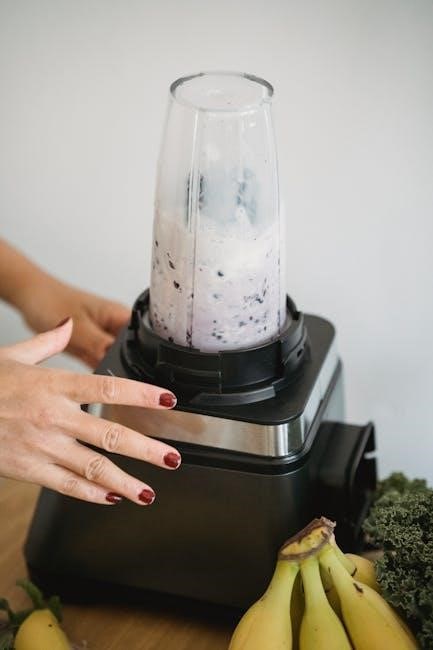
Welcome! This manual guides you through utilizing your Ninja® Food Processor, offering powerful performance and versatility. Explore Auto-iQ® programs and manual controls for effortless food preparation.
What’s Included in the Box
Congratulations on your new Ninja® Food Processor! Before you begin, let’s verify all components are present. Your package should contain the powerful Motor Base, providing the energy for all your food processing tasks. You’ll also find the Precision Processor® Bowl, designed for optimal performance with Auto-iQ® programs.
Essential for various recipes is the Chopping Blade, ideal for creating salsas, sauces, and more. The Dough Blade is included for effortless bread and pizza dough preparation. Furthermore, the Reversible Slicing/Shredding Disc offers two functionalities in one – slice or shred with a simple flip!
Don’t forget to check for the included Processing Lid, ensuring secure operation. A Spatula is also provided to help scrape down the bowl. Finally, this Owner’s Guide will provide detailed instructions and helpful tips to maximize your Ninja® Food Processor experience. If any items are missing, please contact Ninja® Customer Support immediately.
Safety Precautions
Your safety is paramount! Before operating your Ninja® Food Processor, carefully read all instructions. Always ensure the unit is properly assembled with the lid securely locked in place before powering on. Never operate a damaged cord or plug, and avoid using an extension cord.
Keep hands and utensils away from moving blades during operation. Never attempt to sharpen the blades yourself; professional servicing is recommended. Do not immerse the motor base in water or other liquids. Always unplug the unit when not in use, before cleaning, and when changing attachments.
Supervise children closely when the appliance is in use. This appliance is not intended for use by persons with reduced physical, sensory, or mental capabilities. Use caution when handling hot liquids, and never overfill the processing bowl. Failure to follow these precautions could result in injury or damage.

Understanding the Components

Familiarize yourself with your Ninja® Food Processor’s parts! This includes the motor base, precision processor bowl, and various blade/disc attachments for versatile food prep.
The Motor Base
The motor base is the powerhouse of your Ninja® Food Processor, providing the energy to drive all processing functions. It’s designed with a robust construction to handle a wide range of ingredients, from soft fruits to hard vegetables and even doughs. Ensure the motor base is placed on a stable, level surface during operation to prevent any unwanted movement or potential hazards.
Before use, always verify the motor base is clean and free from any debris. The base features control buttons for both Auto-iQ® programs and manual speed settings, allowing for precise control over your food preparation. A locking mechanism secures the Precision Processor® Bowl, ensuring safe and efficient operation. Never attempt to operate the food processor without the bowl properly locked into place.
The motor base also incorporates safety features, such as overheat protection, which automatically shuts off the unit if it becomes excessively hot. This prevents damage to the motor and ensures user safety. Regularly inspect the power cord for any signs of damage and avoid using the appliance if the cord is frayed or damaged in any way.
The Precision Processor Bowl
The Precision Processor® Bowl is specifically engineered for optimal food processing performance. Constructed from durable, BPA-free plastic, it’s designed to withstand the demands of various ingredients and processing tasks. This bowl features clearly marked capacity indicators, allowing you to accurately measure ingredients directly within the bowl, minimizing the need for separate measuring cups.
A key feature of the bowl is its compatibility with both blade assemblies and the reversible slicing/shredding disc. It securely locks onto the motor base, ensuring stable operation and preventing leaks. The bowl’s shape and design promote efficient ingredient circulation, resulting in consistent processing results. Always ensure the bowl is completely dry before attaching it to the motor base.
Properly seating the bowl onto the base is crucial for safe operation; a clicking sound confirms a secure lock. Never attempt to operate the food processor if the bowl isn’t firmly locked in place. The bowl is designed for both Auto-iQ® programs and manual control, offering versatility in your food preparation.
Blade Assembly Options
Your Ninja Food Processor comes equipped with multiple blade assemblies to handle a wide range of food preparation tasks. These blades are crafted from high-quality stainless steel, ensuring durability and precision cutting. Always handle blades with extreme caution, as they are very sharp. Proper blade selection is key to achieving desired results.
The included blade options significantly expand the processor’s functionality. Each blade assembly is designed for a specific purpose, from chopping and pureeing to creating doughs and more. Before use, ensure the blade is securely attached to the blade adapter. Incorrectly installed blades can lead to uneven processing or potential damage.
Understanding the purpose of each blade is essential for optimal performance. Refer to the included recipe guide for recommendations on which blade to use for specific ingredients and desired textures. Regularly inspect blades for any signs of damage or dullness, and replace as needed.
Chopping Blade
The Chopping Blade is your go-to tool for quickly and efficiently processing a variety of ingredients. This blade is specifically designed for chopping vegetables, fruits, nuts, and even creating salsas and pestos. Its multi-directional cutting action ensures even results, saving you valuable time in the kitchen.
When using the chopping blade, it’s important to cut larger ingredients into smaller, more manageable pieces before processing. This helps to prevent strain on the motor and ensures consistent chopping. Avoid over-processing, as this can result in a puree instead of a chop. Pulse the processor for controlled chopping, checking the consistency frequently.
For best results, do not exceed the maximum fill line indicated on the Precision Processor Bowl. The chopping blade is incredibly versatile, but always prioritize safety and follow the guidelines in this manual for optimal performance and longevity of your Ninja Food Processor.
Dough Blade
The Dough Blade is expertly crafted for mixing and kneading doughs, offering a convenient alternative to traditional hand kneading. Whether you’re preparing pizza dough, bread dough, or pastry, this blade simplifies the process and delivers consistent results. Its robust design effectively combines ingredients, developing gluten for a perfectly textured dough.
When using the Dough Blade, ensure ingredients are properly measured and added to the Precision Processor Bowl. Start with the liquid ingredients first, followed by the dry ingredients. Process in short bursts, using the Pulse function initially to combine, then allowing the blade to work continuously.
Avoid over-processing the dough, as this can lead to a tough texture. Monitor the dough’s consistency closely, and stop processing when it forms a smooth, elastic ball. Remember to never exceed the maximum fill line. The Dough Blade unlocks effortless baking possibilities with your Ninja Food Processor.
Slicing and Shredding Discs
Expand your culinary capabilities with the versatile Slicing and Shredding Discs included with your Ninja Food Processor. These discs transform fruits, vegetables, and cheeses into perfectly uniform slices or shreds in seconds, saving you valuable preparation time. From salads and slaws to gratins and pizza toppings, the possibilities are endless.
These discs attach securely to the Precision Processor Bowl, offering a safe and efficient way to achieve professional-looking results. Always use the food pusher to guide ingredients through the disc chute, ensuring even processing and protecting your hands.
Remember to select the appropriate disc side – slicing or shredding – based on your desired outcome. For best results, cut larger items into smaller, manageable pieces before processing. These discs are a cornerstone of efficient kitchen prep!
Reversible Slicing/Shredding Disc
Maximize versatility with the Reversible Slicing/Shredding Disc, a key component of your Ninja Food Processor. This single disc offers two functions, eliminating the need for multiple attachments and saving valuable storage space. One side is designed for creating uniformly thin slices, perfect for au gratin potatoes or crisp cucumber salads.
Simply flip the disc over to reveal the shredding side, ideal for creating fluffy shredded cheese, coleslaw mixes, or preparing ingredients for hash browns. Ensure the disc is securely locked into place within the Precision Processor Bowl before operation.
Always utilize the food pusher for safe and consistent processing. Remember to pre-cut larger items for optimal results. Cleaning is easy – refer to the ‘Care and Maintenance’ section for detailed instructions. This disc truly elevates your food prep game!

Using Your Ninja Food Processor
Get started! Properly assemble your Ninja Food Processor, then choose from convenient Auto-iQ programs or utilize manual controls for customized food processing.
Assembling the Food Processor
Proper assembly is crucial for safe and effective operation. Begin by ensuring the Motor Base is placed on a flat, stable surface. Next, align the Precision Processor® Bowl with the Motor Base, rotating it clockwise until it locks securely into place – you should hear a distinct click.
Once the bowl is locked, select the appropriate Blade Assembly or Disc for your desired task. Carefully insert the chosen attachment into the center post within the bowl. Ensure it’s firmly seated and fully connected. For blade assemblies, always handle with care as blades are extremely sharp.
Finally, place the Protective Cover onto the bowl, aligning the tabs and rotating clockwise until it locks. Never operate the food processor without the Protective Cover securely in place. Double-check all components are correctly assembled before plugging in and powering on the device.
Auto-iQ Programs
Auto-iQ® delivers intelligent, pre-programmed settings for effortless results. These programs combine pulsing, pauses, and speeds to achieve optimal textures without constant monitoring. Select the appropriate Auto-iQ program based on your recipe – options typically include Chop, Puree, Smoothie, and Dough.

To activate an Auto-iQ program, simply place the lid securely on the Precision Processor® Bowl, select the desired program by pressing the corresponding button on the control panel, and press the Start/Stop button. The program will run automatically, pausing and changing speeds as needed.
The food processor will automatically stop when the program is complete. For customized control, you can interrupt an Auto-iQ program at any time by pressing the Start/Stop button. Explore the various Auto-iQ options to discover the convenience and precision they offer for your favorite recipes.
Manual Programs
For ultimate control, utilize the manual program options. These allow you to customize the processing speed and duration to perfectly suit your recipe’s needs. The Ninja Food Processor features variable speed control, ranging from low to high, and a Pulse function for short bursts of power.
To use the manual controls, securely attach the lid to the bowl. Turn the speed dial to your desired setting – lower speeds are ideal for delicate tasks like mixing, while higher speeds are best for chopping or pureeing. The Pulse function is activated by pressing and holding the Pulse button.
Release the Pulse button to stop. Experiment with different speed and pulse combinations to achieve your desired consistency. Manual programs offer flexibility for recipes requiring precise control over processing time and texture.
Care and Maintenance
Proper cleaning ensures longevity. Regularly clean your Ninja Food Processor after each use to maintain optimal performance and hygiene for years to come.
Cleaning Your Ninja Food Processor
Thorough cleaning is essential for maintaining the performance and hygiene of your Ninja Food Processor. Always unplug the appliance before cleaning. The motor base should be wiped down with a damp cloth – never immerse it in water.
The Precision Processor Bowl, blades, and discs are typically dishwasher safe (top rack recommended) for convenient cleaning. However, handwashing is also an option using warm, soapy water. Be extremely cautious when handling the sharp blades!
For stubborn food residue, a brush can be helpful. Rinse all parts thoroughly and allow them to air dry completely before reassembling. Avoid abrasive cleaners, as they can damage the surfaces. Regularly inspect the components for any signs of wear or damage, and replace them as needed to ensure safe and efficient operation. Proper cleaning extends the life of your Ninja Food Processor.
Dishwasher Safe Parts
Convenience is key! Several components of your Ninja Food Processor are designed for easy cleaning in the dishwasher. Specifically, the Precision Processor Bowl, the Chopping Blade, the Dough Blade, and the Reversible Slicing/Shredding Disc are all top-rack dishwasher safe.
While dishwasher use is permitted, handwashing can help preserve the sharpness and finish of the blades and discs over time. If using a dishwasher, avoid using harsh detergents or the heated drying cycle, as excessive heat can potentially cause warping or damage.
Always ensure all parts are securely placed on the top rack to prevent them from falling during the wash cycle. After washing, inspect each component for any damage before reassembling. The motor base and any electrical components must never be placed in the dishwasher or submerged in water.
Storage Instructions
Proper storage ensures longevity! When not in use, disconnect your Ninja Food Processor from the power outlet. Before storing, ensure all components are thoroughly clean and completely dry to prevent any potential mold or mildew growth. The motor base should be stored in a cool, dry place, away from direct sunlight.
The Precision Processor Bowl and blade assemblies can be neatly stacked inside each other for compact storage. Consider storing the slicing and shredding disc separately to protect the delicate blades. Avoid placing heavy items on top of the bowl or disc, as this could cause damage.
Keep the instruction manual in a safe and accessible location for future reference. Proper storage will help maintain the performance and extend the life of your Ninja Food Processor, ensuring it’s ready for your next culinary adventure!
Troubleshooting Common Issues
Encountering problems? This section offers solutions for typical issues like the motor failing to start or the blade not spinning, ensuring smooth operation.
Motor Not Starting
Problem: If your Ninja Food Processor’s motor isn’t responding, several factors could be at play. First, ensure the unit is properly plugged into a functioning electrical outlet. A simple check, but often overlooked! Next, verify the bowl is securely locked into the motor base; the processor won’t operate if it doesn’t detect a proper lock.
Check the lid – it must also be firmly in place. The safety interlock system prevents operation without secure attachment. If using an Auto-iQ program, confirm it’s selected correctly. Sometimes, a brief reset is all that’s needed; unplug the unit for 60 seconds, then plug it back in and try again.
Overload protection might be activated if the processor was strained. Allow it to cool down for 15-20 minutes before attempting to restart. If the issue persists, consult the full owner’s guide or contact Ninja customer support for further assistance. Do not attempt to disassemble or repair the unit yourself.
Blade Not Spinning
If the motor is running but the blade isn’t spinning, a few common issues could be the cause. First, ensure the correct blade assembly is properly attached to the Precision Processor® Bowl. It must click securely into place. Verify there’s no food buildup obstructing the blade; large chunks can prevent movement.
Check for proper bowl assembly – the blade assembly needs to sit flush against the bottom of the bowl. Avoid overfilling the bowl, as this can strain the motor and hinder blade rotation. If processing thick mixtures, use the pulse function to help initiate movement.
Inspect the blade for damage; a bent or broken blade won’t spin effectively. If the issue continues, unplug the unit and carefully check for any obstructions. Refer to the owner’s guide for detailed diagrams and troubleshooting steps. Contact Ninja support if problems persist, and never attempt self-repair.